# Studio > A design studio that lives in your repo: studies, engineering notes, and working UI experiments kept beside the code they describe, open to the agents that help you build it. ---
# Studio **A design studio that lives in your repo.** Studies, engineering notes, and working UI experiments, kept beside the code they describe, and open to the agents that help you build it.
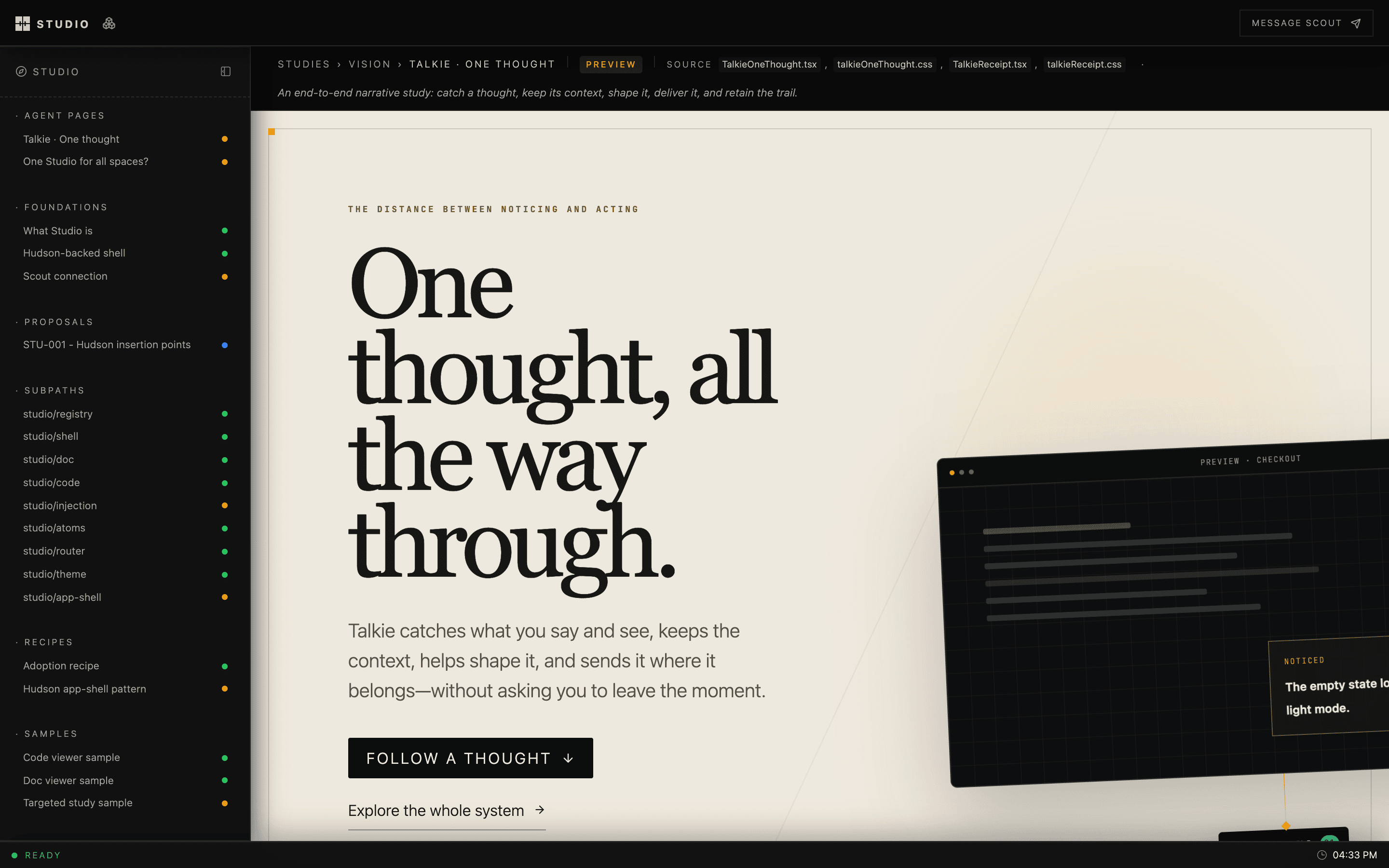
A Studio study: the Talkie “One thought” narrative, framed by the Studio sidebar and page strip

## Why Design work tends to drift away from the product: into Figma files, slide decks, and threads nobody can find a month later. Studio keeps it in the repository. A study is a React component, a doc is Markdown, and both sit next to the source they argue about. They're reviewed in pull requests and rendered with the product's real fonts, tokens, and components. ## What you get - **A shell for every product.** Sidebar, page strip, focus mode, a registry of pages grouped by your own taxonomy. Built on [Hudson](https://github.com/hudsonkit/hudson). - **Docs and code, side by side.** A Markdown renderer for engineering docs and a read-only CodeMirror viewer, wired to link straight into source files. - **One URL per project.** `studio dev` gives each repo a stable local host like `myapp.studio.local`, so you stop juggling ports. - **Agents as collaborators.** A local MCP server lets coding agents publish pages into your studio and wait for your feedback on them. - **Flows.** A spatial canvas for whole product journeys, with each screen backed by a live design surface. - **Shareable studies.** Any study becomes a private Claude artifact that reviewers can comment on without cloning your repo. Their comments come back into Studio. ## Review studies as Claude artifacts Most people you want feedback from don't have your repo running. Studio bundles a study into one self-contained HTML page with React, the compiled CSS and the fonts inline. Your agent publishes that page as a private [Claude artifact](https://claude.ai), and you share the link like a document. ```txt build → publish → reviewers comment → import into Studio → reply → mirror back ``` Comments on the artifact come back as threaded feedback on the study. Replies you write in Studio are posted to the same artifact thread. The Studio host never calls claude.ai: it keeps the bookkeeping and hands your agent a plan through four MCP tools, and the agent publishes with its own Artifact tools. ```bash bun src/artifacts/cli.ts build --all # one HTML page per shared study studio mcp # connect your agent, then ask it to sync artifacts ``` See [Share studies as Claude artifacts](docs/claude-artifacts.md), or the [live walkthrough](https://hudsonkit.com/studio/foundations/claude-artifacts). ## Quick start ```bash git clone https://github.com/hudsonkit/studio cd studio bun install bun dev ``` Open [localhost:5191/studio](http://localhost:5191/studio). `apps/studio` is the first-party studio, and it's built with this package. > [!NOTE] > Studio is early and under active development. Today it's developed side by side with > [hudsonkit](https://github.com/hudsonkit/hudson). Clone `hudson` next to `studio` > before installing, since the workspace links it from `../hudson`. ## Adding a studio to your product A studio is an ordinary app route plus a registry of pages: ```txt app/studio/[[...slug]]/page.tsx route entry src/studio/studioRegistry.ts your sections, statuses, and pages src/studio/StudioPages.tsx the studies themselves docs/ source docs stay where they are ``` ```ts import { createRegistry } from "studio/registry"; type Bucket = "foundations" | "studies"; type Surface = "web" | "mobile"; type Status = "draft" | "preview" | "stable"; export const registry = createRegistry({ pages: [ { href: "/studio/studies/onboarding-v2", label: "Onboarding, take two", bucket: "studies", surface: "web", status: "preview", source: ["src/studio/studies/OnboardingV2.tsx"], }, ], surfaceOrder: ["web", "mobile"], defaultSurface: "web", bucketLabel: (bucket) => ({ foundations: "Foundations", studies: "Studies" })[bucket], surfaceLabel: (surface) => surface, }); ``` Then wrap your dev script so the project gets its own host: ```json { "scripts": { "dev": "studio dev --port 3060 -- next dev --port 3060" } } ``` ## Packages | Import | What it's for | | --- | --- | | `studio/registry` | Typed page registry for your taxonomy | | `studio/shell` · `studio/app-shell` | Studio layout, and the Hudson app-shell adapter | | `studio/doc` · `studio/code` | Markdown docs and the CodeMirror viewer | | `studio/flows` | Journey canvas, model, renderer, and server | | `studio/feedback` · `studio/agents` | Reviewer feedback and agent dispatch | | `studio/injection` | Swap a registered study into the live product | | `studio/theme` · `studio/atoms` · `studio/router` | Tokens, status pills, router adapters | ## Learn more - [Docs site](https://hudsonkit.com/studio/docs/): every guide and reference, built with [Dewey](https://github.com/arach/dewey) - [Claude artifacts](docs/claude-artifacts.md): publish studies for review and sync comments both ways - [Reference](docs/reference.md): every subpath, the local edge, the host API, and conventions - [Cloud studios](docs/cloud-studios.md): one host on a VM serving many studios, with an agent working in place - [Agent dispatch](docs/agent-dispatch.md): routing annotations to coding agents - [Component registry](docs/component-registry.md): audit and verify gates - [AGENTS.md](https://github.com/hudsonkit/studio/blob/main/AGENTS.md): the working guide for coding agents in this repo ## Development ```bash bun test # full suite bun run typecheck ``` ## License [Apache-2.0](https://github.com/hudsonkit/studio/blob/main/LICENSE) --- # Agent dispatch `studio/agents` lets a Studio register the agents it may send work to and route messages — annotations, context, review passes — to a chosen agent over the existing Scout web transport. It is the multi-agent sibling of the Scout connection (`studio/scout`): the `scout` block in `.studio/project.json` says *who this Studio is*; the `agents` list says *who this Studio can talk to*. The dispatch contract (`StudioCapabilityRequest` / `StudioCapabilityResult`) mirrors Hudson's HUD-011 agent contract. Transport today is direct Scout HTTP; the shapes are aligned so a future Hudson-mediated dispatch bus can slot in without rewriting call sites. ## Registering targets Add an `agents` array to `.studio/project.json`, beside the `scout` block: ```json { "scout": { "webBaseUrl": "http://127.0.0.1:43120", "identity": { "agent": "studio", "label": "Studio agent" } }, "agents": [ { "agent": "studio", "label": "Studio agent" }, { "agent": "atelier", "label": "Atelier agent", "intent": "request" } ] } ``` Each entry is a `StudioAgentTarget`: - `agent` (required) — a portable Scout selector, resolved against exact ids, definition ids, handles, and names. Never a machine-specific id, so the manifest survives moving between machines. - `label` — human-facing name for pickers; falls back to the selector. - `intent` — `"message"` (default) or `"request"`, the send mode this target prefers. - `blurb` — one line on what this agent is good at. Registration is an explicit array, not a discovery sweep: entering the list is the claim that an agent may receive work from this Studio, and that should be a decision. When `agents` is absent, every consumer falls back to `[scout.identity]` — single-agent configs keep working unchanged. ## The registry ```ts import { createAgentRegistry } from "studio/agents"; const registry = createAgentRegistry({ agents: manifest.agents ?? [] }); registry.all(); // every target, in manifest order registry.get("atelier"); // one target, or undefined registry.resolve(undefined); // the default (first, or `defaultTarget`) registry.resolve("nobody"); // undefined — never silently the default ``` `resolve` is the picker path: no choice falls back to the default, an unknown selector refuses. Sending work to the wrong agent is worse than not sending. Server code can skip the manifest plumbing with `loadStudioAgentRegistry(startDirectory)` from `studio/scout/server`, which reads `.studio/project.json` and applies the `[scout.identity]` fallback. ## Sending to a target `postStudioScoutMessage` (server-only, `studio/scout/server`) accepts an optional `target` on its input — or as a trailing argument — and resolves the target's selector instead of the hardwired identity: ```ts await postStudioScoutMessage({ body: "Port this component.", target: { agent: "atelier", label: "Atelier agent" }, }); ``` The receipt carries both `agentId` (the Studio's own resolved identity — the sender) and `targetAgentId` (the resolved recipient). Without a target they are equal, and existing callers behave exactly as before. The first-party app exposes the same flow over HTTP: `GET /api/scout/agents` lists the registered targets with live online state (Scout down → `online: null`, never a 500), and `POST /api/scout/messages` accepts an optional `target` that is validated against the registry — unregistered selectors get a 400. ## The dispatch contract Two pure helpers map Studio shapes onto the HUD-011-aligned contract, no network involved: ```ts import { annotationPassToCapabilityRequest, receiptToCapabilityResult, } from "studio/agents"; const request = annotationPassToCapabilityRequest(pass, target); // { appId: "studio", operation: "annotations:dispatch", // params: { target, intent, docTitle, slug, annotations, formatted }, // source: "studio-ui" } const result = receiptToCapabilityResult(receipt); // { ok: true, summary: "Delivered to … via Scout (message).", data: { … } } ``` ## Wiring a consumer studio `AnnotatableDoc` takes an optional `sendTargets` prop. With two or more entries the send-pass modal shows a small target select and the chosen id rides on `SendPassPayload.target`; absent or a single entry renders exactly as before. Routing is the consumer's `onSendPass` job: ```tsx { await fetch("/api/scout/messages", { method: "POST", headers: { "content-type": "application/json" }, body: JSON.stringify({ body: payload.formatted, target: payload.target ? { agent: payload.target } : undefined, }), }); }} /> ``` ## Out of scope (for now) - No Hudson relay or dispatch bus — HUD-011 alignment is contract-only. - No liveness registry of our own; Scout's `/api/agents` stays the single source of truth for presence. --- # Share studies as Claude artifacts A study is easy to review in Studio itself, if the reviewer has the repo running. Most reviewers don't. Studio can bundle any study into one self-contained page and publish it as a [Claude artifact](https://claude.ai): a private link you can share like a document. Comments left on the artifact come back into Studio as feedback on the study, and replies written in Studio go back to the artifact thread. ```txt study (React, in your repo) → bun src/artifacts/cli.ts build one HTML page: React, the study, CSS, fonts → agent publishes it Artifact tool → claude.ai/artifact/… → reviewers comment on the artifact → agent imports the comments feedback on the study, in Studio → you reply in Studio → agent posts the reply back the same artifact thread ``` Studio's host never talks to claude.ai. Only an agent session holds the Artifact tools, so the host keeps the bookkeeping and hands the agent a plan to carry out. ## Choose the studies to share List them in `apps/studio/src/studio/artifactStudies.ts`: ```ts export const artifactStudies: readonly ArtifactStudy[] = [ { id: "talkie-one-thought", entry: "apps/studio/src/studio/studies/TalkieOneThought.tsx", export: "TalkieOneThoughtStudy", }, ]; ``` | Field | Meaning | | --- | --- | | `id` | Artifact slug, and the registry page id unless `page` says otherwise. | | `entry` | The study module, relative to the repo root. | | `export` | Named export, rendered with `{ page }`. | | `page` | Registry page id or href to pass as `page`. | | `css` | `"app"` (default) brings the app's `globals.css` and fonts; `"own"` relies on the study's CSS imports. | ## Build the pages ```sh bun src/artifacts/cli.ts build talkie-one-thought bun src/artifacts/cli.ts build --all ``` Each build writes `.studio/artifacts/.html` and a sidecar `.json` holding a hash of the study's sources. The page carries React, the study, the compiled Tailwind CSS and its fonts inline, so it renders with no network access. Studies in other Studio-style apps build the same way. Point the CLI at the repo and app: ```sh bun src/artifacts/cli.ts build --repo ~/dev/fab --app design/studio \ --entry design/studio/src/studio/pages/TuckPage.tsx --export TuckPage \ --page /studio/surfaces/tuck --id tuck ``` ## Sync with an agent Connect your agent to the Studio host's MCP server. `studio mcp` prints the URL and the `claude mcp add` line. Then ask the agent to sync the artifacts. It works through four tools: | Tool | What it does | | --- | --- | | `artifact_sync_plan` | Lists each built study as `publish`, `republish` or `current`, with the comments to read and the Studio replies to post. | | `artifact_link` | Records a publish: the artifact URL and the source hash that was published. The first link creates the study's feedback page. | | `artifact_import_comments` | Copies artifact comments into Studio feedback on the study. | | `artifact_mark_mirrored` | Records that a Studio reply was posted to its artifact thread. | The agent carries out the plan with its own Artifact and ArtifactComments tools, then reports back through these four. A study is due for `republish` when its sources change after the last publish. If the plan marks a study `build_stale`, its sources changed since the last build. Rebuild with `build --all` and ask for the plan again. ## How comments travel - **Into Studio.** Every artifact comment lands as feedback on the study, threaded the way it was on the artifact. Comments already imported are skipped. So are Claude's own replies, including ones that mirrored a Studio reply. - **Back to the artifact.** Replies written in Studio under an imported thread are posted to that artifact thread, with the reviewer's name as a prefix. A reply can only land on a thread someone with edit access has sent to Claude. Until then it waits in the plan for the next sync. - **Top-level feedback stays in Studio.** Claude can reply to a thread on an artifact but can't open one. The plan lists those notes as unmirrorable so the agent can tell you, rather than dropping them. ## What stays private Artifacts are private to the person who publishes them until they share the link. Studio stores links and comment bookkeeping in `.studio/artifacts/links.json`, inside the gitignored `.studio/artifacts/`. Nothing about a published artifact is committed to the repo. --- # Cloud deploy > Shipping design studios to a VM's multi-studio host? See > `docs/cloud-studios.md` — this document covers the platform app deploy > (`studio.service`, releases under `~/studio-cloud/`). Studio runs as one application server on an exe.dev VM, reachable only over tailscale. The VM is the compute host: it installs dependencies, builds the Next app, and serves the current release. The local machine only ships sources over SSH. ## Layout on the VM ``` ~/studio-cloud//studio/ this repository ~/studio-cloud//hudson/…/hudsonkit/ workspace dependency (dist included) ~/studio-cloud//lattices/design/studio/ workspace dependency ~/studio-cloud//action/design/studio/ manifest only (not imported by the build) ~/studio-cloud/current -> atomic flip target ``` A `studio.service` systemd unit runs `next start` from `current/studio/apps/studio`, bound to the VM's tailnet IPv4 on port 43210. ## Commands ```sh studio deploy # ship, install, build, flip, restart, health check studio deploy --skip-build # update sources in the current built release, restart studio deploy --host --port
--keep --json ``` Deploy prints the served URL and fails if the health check does not return a non-empty body from this machine over the tailnet. ## Notes - Releases are timestamped (`YYYYMMDD-HHMMSS-`); the deploy keeps the newest five and prunes the rest. - External workspace members resolve from their real paths, so the deploy links the hoisted `node_modules` to the release root. Without that link, bundlers cannot resolve `hudsonkit/*` from `~/studio-cloud//hudson/…`. - Turbopack is attempted first; if it fails the deploy falls back to `next build --webpack` and fails only when both fail. - The build runs on the VM; local resources are not used beyond rsync. ## Scout peer on the VM The VM runs a Scout broker (tmux session `openscout-broker-byok`) and an `exedev` agent backed by omp on the shared opencode-go account. Bring-up order that works on a headless Linux node: ```sh scout mesh bind local # withdraw any wedged advertise scope # restart the broker, then: scout mesh announce # opens mesh TLS on non-loopback addresses scout mesh enroll ssh://… # from the peer; exchanges cards + SPKI pins scout restart # spawns configured agents (relay-* tmux sessions) ``` Ask the agent with the short id (`scout ask --to exedev …`); the qualified sender-id form (`exedev.ocean-iron`) is not a routable target. Known upstream gap: mesh discovery probes candidate `/v1/node` URLs with a plain fetch and never applies the enrolled SPKI pin, so self-signed peers are rejected before registration. Until that is fixed upstream, register the VM node once by hand: ```sh curl -sk https://:43110/v1/node # fetch its card curl -s http://127.0.0.1:43110/v1/nodes -d '{…}' # POST /v1/nodes ``` Use the VM's tailnet address as `brokerUrl` — the VM advertises its LAN IP first, which is unreachable from remote peers. --- # Cloud studios — one host, many studios, git-push sync A VM runs one Vite host process that serves every studio from **real source**. Studios are small private git repos; `git push` ships them, the cloud coding agent edits them in place, and locals pull its commits back. No built assets cross the wire in either direction — only source, transformed per request. ## Layout on the VM ``` ~/studios// one studio = one git repo (real source) ~/studio-cloud/bootstrap/studio/ this repository (the host runs from here) /etc/systemd/system/studio.service platform app (next start, port 43210) /etc/systemd/system/studio-host.service multi-studio host (bun, port 43215) ``` Both services bind loopback; **nginx is the front door** — the studio host is served at `http:///` (port 80, MagicDNS name or tailnet IP, no port), with the HMR websocket proxied. The platform app stays at `http://:43210/`. Loopback-only fallback is available with `studio bootstrap --no-tailscale`. ## Getting started (a fresh remote host) Prerequisites: SSH keys on the VM account, passwordless sudo, and a Tailscale auth key in the local keychain (`secret set TAILSCALE_AUTHKEY`). ```bash studio bootstrap --host --with-agent ``` One command provisions everything: base packages, Bun, Node 22, this repo, both services, and (with `--with-agent`) the omp harness + Scout broker so a cloud agent can work there. Idempotent — re-run freely. Ship the first studio: ```bash studio sync --dir ~/dev/talkie/design/studio --host ``` The folder becomes its own git repo on first sync (keep it gitignored from its parent project — secret repos, never on GitHub). Open `http://:43215//`. ## The sync loop ```bash studio sync --dir --host ``` - Local edits are committed (`ship `) and pushed; the VM worktree uses `receive.denyCurrentBranch=updateInstead`, so pushes are atomic and refuse on a dirty tree. - The cloud agent commits directly in the VM worktree. Sync fetches `main` first and rebases local commits on top, so agent work flows back to whoever syncs next. One writer per direction; conflicts surface as rebase conflicts, never silent clobbers. - The host watches the worktrees — edits land as HMR, no restarts. ## Studio contract A studio.json file at the studio root: ```json { "id": "talkie", "label": "Talkie", "layout": "app/layout.tsx", "pages": [{ "path": "/agent-bay", "view": "app/agent-bay/page.tsx" }] } ``` - **Routes**: every `app/**/page.tsx` is discovered automatically at its directory path, mirroring the app router. `pages` entries override or add; unknown paths 404 — there is no index fallback. - **Layout**: `layout` names the real layout module; the host renders it around every view. Next's `//` nesting is harmless in the hosted DOM. - **Compat shims** (host-served, one version everywhere): `next/link` renders a plain anchor and prefixes root-relative hrefs with the studio mount; `next/navigation` implements `usePathname` / `useSearchParams` / `useRouter` against the mounted location. React is a platform singleton — every studio resolves the host's copy through the shared optimized chunk. - **Styles**: CSS is compiled by the studio's *own* tailwindcss + postcss install and config, resolved from the studio's `node_modules` on the VM. Run `bun install` in the studio directory on the VM after adding dependencies (sync does not install). Content globs resolve against the studio root regardless of the host process cwd. - **Source assets**: any real file in the studio tree serves as-is under `//`. ## Operating ```bash studio host-deploy --host # ship cloud/host/** + restart + health check studio bootstrap --host # full re-provision (idempotent) studio sync --dir

--host ``` - `host-deploy` after changing `cloud/host/**`. It rsyncs the host subtree, restarts `studio-host`, and fails if the health check does not return a non-empty body. - New studio dependencies: `ssh 'cd ~/studios/ && ~/.bun/bin/bun install'`. - New routes or manifests require a host restart only when the file *graph* changes shape; page edits are pure HMR. ## Boundaries - Source only. Never ship `node_modules`, `.next`, or other build output; never commit generated assets to studio repos. - Studio repos are private and gitignored from their parent projects. - The first bootstrap on a brand-new VM must complete before heavy use; re-run it rather than hand-repairing a half-provisioned host. - Do not restart services on shared long-lived VMs (e.g. the Scout broker on ocean-iron) without coordinating — lab VMs are disposable, shared hosts are not. ## Known gaps - `/favicon.ico` 404s (no host-level favicon yet). - Tailwind v4-based studios need the `@tailwindcss/postcss` pipeline wired alongside the v3 path the host currently drives. - Agent commits reach locals only when someone runs `sync`; there is no push notification yet. --- # Component registry `@arach/studio/components` is the component-level sibling of the page registry (`@arach/studio/registry`). The page registry describes the *routes* a studio hosts; the component registry describes the *components* it has finished, so a human or an agent can tell an adoptable component from a sketch without reading its source. A **manifest** is a sidecar (`.manifest.ts`) beside the component it describes, answering the questions an adopter asks: is there a component for X, is it finished, how do I use it, what happens in the ugly cases, is it already in prod and in sync. Sidecars, not a central file: a sidecar changes in the same diff as the thing it describes. ## audit vs verify The distinction is the whole point, keep it sharp: - **`audit`** checks a manifest against **itself** — completeness rules (kebab-case id, real summary, `whenToUse`, examples with a no-setup first one, documented defaults on fixed-option props…). It can only prove a manifest is *incomplete*. The top status (`graduated` by default) is not a label you write, it is the bar `audit` enforces: errors block it, warnings are pressure and never gate. - **`verify`** checks a manifest against **the filesystem** — source files exist, claimed exports are exported, documented props are on the props type, port targets exist, recorded `verifiedAgainst` content hashes still match. It proves a manifest is *wrong*. A registry whose entries are confidently wrong is worse than no registry. Both exit non-zero on error-level findings in the CLI, so either works as a CI gate. `verify` is node-only and lives on a separate export path (`@arach/studio/components/verify`) so browser bundles never reach `node:fs`. ## Registering your first component 1. Write `.manifest.ts` beside the component (copy `src/atoms/StatusPill.manifest.ts` in this repo — it is the specimen). 2. Create `studio.components.ts` at your repo root: ```ts import type { ComponentManifest } from "@arach/studio/components"; import { statusPillManifest } from "./src/atoms/StatusPill.manifest"; export const manifests: ComponentManifest[] = [statusPillManifest]; ``` Registration is an explicit array, not a glob: entering the registry is the claim that a component is adoptable, and that should be a decision. 3. Query it from anywhere in the repo: ```bash studio components list studio components find dropdown for choosing a model studio components show status-pill studio components audit # exit 1 on error-level findings studio components verify # exit 1 on provable falsehoods studio components hashes status-pill # fresh port.ref + verifiedAgainst block ``` `--json` on every subcommand prints only valid JSON on stdout (pipe to `jq`). The CLI finds the registry by walking up to the nearest `.git` and loading `studio.components.ts` there; `--registry ` and `--root ` override. ## Customizing the vocabulary Everything is generic over your status union, like the page registry: ```ts type Status = "wip" | "shipped"; const registry = createComponentRegistry({ manifests, honestyBar: "shipped", // the status the audit bar gates auditRules: [ // project-specific rules, appended to the built-ins (m) => m.data ? [] : [{ level: "error", field: "data", message: "name a data contract" }], ], statusBoost: (s) => (s === "shipped" ? 3 : 0), // search ranking bonus }); ``` ## Port claims `manifest.port` records whether a production counterpart exists (`none` / `partial` / `synced` / `drifted`), prose `drift[]` naming both sides of each divergence, and `verifiedAgainst` content hashes plus the git `ref` they were taken at — a port claim without the ref is branch-relative without saying so. Regenerate the block with `studio components hashes `; `verify` warns when the recorded files have moved. --- # Studio reference Studio gives product teams a place to keep design studies, engineering notes, and working UI experiments beside the code they describe. It is a TypeScript package, shared by local workspace rather than published to npm. Product repos bring their own content and taxonomy; Studio provides the shell, registry, docs, code viewer, and local runtime. ## Quick start ```bash bun install bun dev ``` Open [http://localhost:5191/studio](http://localhost:5191/studio). `apps/studio` is Studio's canonical first-party app as well as its live package reference. To register it with the shared local edge: ```bash bun run local ensure . ``` Then open `http://studio.studio.local`. ## Remote studios Studio also runs as one Vite host on a VM serving N studios of real source — provision a host, `git push` a studio to it, and let a cloud coding agent work on designs in place while locals sync back: ```bash studio bootstrap --host --with-agent studio sync --dir ~/dev/talkie/design/studio --host ``` See `docs/cloud-studios.md` for the full loop, and `AGENTS.md` for the agent-facing working guide. ## What's here | Subpath | Contents | | --- | --- | | `studio/registry` | Generic `StudioPage` + insertion-point metadata + `createRegistry(...)`. Returns page grouping helpers plus `insertionPoint`, `studyForInsertionPoint`, and `studiesForInsertionPoint` bound to the consumer's taxonomy. | | `studio/shell` | `StudioShell` (layout + focus mode), `StudioSidebar` (bucket-driven, per-bucket custom render), `PageStrip` (breadcrumb + status + source files + blurb). Plus `SidebarLink`, `StatusDot`, `cn`. | | `studio/doc` | `EngMarkdown` (react-markdown + highlight.js with `buildFileHref` and `viewableExtensions` overrides), `EngDocSheet` (bordered frame), `DataRow` (label/value primitive). | | `studio/code` | `CodeViewer` (CodeMirror 6, read-only). `themeDetection` accepts `media` \| `data-attribute` \| `controlled`. `theme` builder defaults to `studioCodeTheme`. 17-language pack via `languageForFilename`. | | `studio/injection` | Reference runtime for registered study injection: URL/storage activation, before/after compare, and `StudioRegisteredInjectionHost` for resolving studies from insertion-point ids. | | `studio/scout` | Browser client, shared types, and centralized paths for a Studio-owned Scout connection. | | `studio/scout/server` | Server-only adapter that resolves the configured Studio agent and forwards messages through Scout's web API. | | `studio/agents` | Agent dispatch: `StudioAgentTarget` types, `createAgentRegistry(...)`, and pure HUD-011-aligned mapping helpers (`annotationPassToCapabilityRequest`, `receiptToCapabilityResult`). | | `studio/atoms` | `StatusPill` primitive (tone + label + variant). `createStatusPalette(map)` binds it to a consumer's status union and returns `statusToTone` / `statusToLabel` / `statusToColor`. | | `studio/router` | `StudioRouterProvider`, `useStudioRouter`, `vanillaRouter`. Default fallback uses `` + `window.location`. | | `studio/router/next` | `NextRouterProvider` — drop-in adapter that wires `next/link` + `next/navigation` into the studio router context. Next.js consumers only. | | `studio/theme` | Re-exports `HudsonThemeScript`, `ThemeProvider`, `useTheme`, `useOptionalTheme` from `hudsonkit/theme`. Pre-paint script + React context for theme/template switching, FOUC-safe. | | `studio/theme.css` | CSS file that aliases studio's `--studio-*` / `--scout-*` / `--status-*` / `--code-*` vars onto hudsonkit's `--hud-*` token contract. Consumers import this once; values flip with `[data-hudson-theme]`. | | `studio/injection.css` | Minimal styles for the Studio-mode injection frame. Consumers can import it as-is or copy the `.studio-injection*` class contract into their own app CSS. | | `studio/app-shell` | Hudson AppShell adapters: `StudioHudsonApp` for a complete registry-backed Hudson studio, plus `StudioContentProvider` / `StudioContentOutlet` for framework layouts that already own the shell. | | `studio/flows` | Spatial journey canvas, live embed registry, inspection UI, and `createStudioFlowsApp(...)` Hudson adapter. | | `studio/flows/model` | Flows file, journey, page, and component-tree model. | | `studio/flows/render` | Renderer for Flows component trees. | | `studio/flows/server` | File store, REST/MCP service, and discussion adapter. | ## Flows Flows is Studio's native canvas for laying out whole product journeys while keeping each screen connected to a live product-owned design surface. Studio owns the model, service, renderer, state, and shell integration; consumers only register their embeds and navigation: ```tsx import { createStudioFlowsApp } from "studio/flows"; export const flowsApp = createStudioFlowsApp({ embeds: { "candidate-orientation": { component: CandidateOrientation }, }, discuss: { projectName: "My product" }, onNavigateHome: () => navigate("/"), }); ``` Run the service directly with `bun run flows:serve`. It stores documents under `~/.studio/flows` and exposes the REST and MCP endpoints used by a host route such as `/flows`. Use `bun run flows:smoke` for the end-to-end model/store/API smoke test. Tailwind v4 hosts should import `studio/flows/styles.css` after their `@import "tailwindcss"`; the stylesheet registers the Flows source scan, semantic tokens, and component CSS in the host's existing pipeline. ## Recommended app structure The strongest internal studios have converged on the same split: ```txt app/ studio/[[...slug]]/page.tsx # route entry for the studio app globals.css # hudsonkit + studio CSS + Tailwind sources src/studio/ ContextualStudioApp.tsx # thin app assembly studioRegistry.ts # bucket/surface/status taxonomy + pages StudioPages.tsx # product-specific presentations/studies docs/ CTH-001-*.md # source docs stay in the repo, not copied ``` What comes from the package: - Hudson AppShell composition, panel chrome, palette wiring, and content slot shape. - Registry navigation, page strip, status colors, source refs, focus-mode behavior. - Router adapter, theme aliases, shell CSS, doc/code primitives, and status atoms. What stays in the consumer: - Product taxonomy and naming (`CTH`, `SCO`, `HUD`, etc.). - The page registry and source docs. - Presentation/study components that express the product's actual design argument. Use buckets for structure, not marketing. A good default is: | Bucket | Purpose | | --- | --- | | `foundations` | North Star, product boundary, operating model | | `presentations` or `eng` | Numbered proposals and engineering docs | | `studies` | UI/design studies, each on its own route | This combines the useful patterns from the existing studios: - **Hudson**: dogfood `AppShell`; the studio is a proper Hudson app. - **OpenScout**: keep plans/engineering/studies as separate registry buckets. - **Lattices**: keep proposals as a compact numbered list, not pitch cards. - **Talkie**: make each study/presentation its own polished route with persistent chrome. ## Proposal convention The first-party Studio app now uses a lightweight numbered proposal convention: - Proposal ids use the `STU-###` prefix. - Proposal routes live under `/studio/proposals/-`. - Proposal pages are ordinary registry entries in the `proposals` bucket. - Long-form proposal bodies currently live in `apps/studio/src/studio/content/proposals.ts` and render through `EngMarkdown`. This is intentionally small: Studio already has the registry, shell, page strip, source links, and markdown renderer. A heavier docs loader can come later if proposal volume makes inline strings painful. ## Local edge convention Studio also has a machine-local entrypoint for dev, modeled after Scout's `scout.local` edge. The goal is to stop remembering per-project ports. Each project declares its Studio app in `.studio/project.json`: ```json { "version": 1, "id": "openscout", "label": "OpenScout", "studioDir": "design/studio", "start": "bun next dev --hostname 0.0.0.0 --port {port}", "healthPath": "/studio", "rootPath": "/studio", "host": "openscout.studio.local", "preferredPort": 3030, "previews": [ { "id": "capture", "label": "Capture", "host": "capture.studio.local", "description": "Recording and overlay treatments.", "links": [ { "label": "Controller", "path": "/renders/controller" }, { "label": "Keycaps", "path": "/renders/keycaps" } ] } ] } ``` `previews` are logical workspaces served by the same Studio app. Their `host` is an alias routed to the owning process, and they appear under that process in the local dashboard. This keeps related design work discoverable without registering a duplicate server. The machine registry lives outside project repos: ```txt ~/Library/Application Support/Studio/ registry.json local-edge/Caddyfile logs/ runtime/ ``` `studio.local` is the supervisor dashboard. Per-project hosts such as `openscout.studio.local` are generated Caddy routes. The shared local edge is installed once as a macOS LaunchAgent (`dev.studio.local`). Any Studio client can call `studio-local ensure` from its repo: if the shared edge is already installed, it just registers the project and rewrites the Caddyfile; if it is not installed, it creates the support directories, checks Caddy, installs the LaunchAgent, then registers the project. When the canonical Studio host is already attached to a shared port-80 Caddy, the LaunchAgent registers project and preview hosts with it instead of starting a second Caddy process. The generated Caddyfile remains the standalone fallback. When the edge is running, it publishes those names with Bonjour/mDNS on macOS, runs the supervisor, and runs Caddy from the generated Caddyfile. If a Studio app is down, Caddy serves a same-origin start page that asks the supervisor to run the project's start command, then redirects back to the requested Studio URL. Useful commands: ```bash bun run local init --id studio --studio-dir apps/studio \ --start "bun next dev --hostname 0.0.0.0 --port {port}" \ --health-path /studio --root-path /studio --preferred-port 5191 bun run local ensure . bun run local list bun run local caddyfile ``` The checked-in Studio package manifest at `.studio/project.json` uses this flow to register the first-party app as `studio.studio.local`. Low-level commands still exist for debugging: `bun run local install` installs the shared edge without registering a project, `bun run local enable` only updates the machine registry, and `bun run local edge` runs the supervisor and Caddy in the foreground. ## Scout connection A Studio can belong to a Scout agent by adding a portable selector and the local Scout web origin to `.studio/project.json`: ```json { "scout": { "webBaseUrl": "http://127.0.0.1:43120", "identity": { "agent": "studio", "label": "Studio agent" } } } ``` The selector is deliberately not a machine-specific agent id. The server resolves `studio` against Scout's exact ids, definition ids, handles, and names at runtime. This keeps the project manifest portable while still routing to one unambiguous agent. Studio resolves connection status and the portable identity through its same-origin `/api/scout` route. The server-only `studio/scout/server` adapter also supports headless message and request delivery without exposing broker details to client code. For interactive work, the first-party app mounts Scout's native `/embed/context-capture` composer in a drawer available on every Studio page. Studio owns the context tray around it: current page, local URL, selected text, and explicit notes remain visible and editable before they are attached. Scout continues to own agent selection, attachments, conversation creation, and the actual send. `/studio/foundations/scout` remains the connection overview; if Scout is not running, Studio stays usable and the drawer provides a retry path. ### Agent dispatch A Studio can also register the agents it may *send work to*, via an `agents` array beside the `scout` block in `.studio/project.json`: ```json { "agents": [ { "agent": "studio", "label": "Studio agent" }, { "agent": "atelier", "label": "Atelier agent", "intent": "request" } ] } ``` Each entry is a portable Scout selector (never a machine-specific id) plus an optional label, preferred intent, and blurb. `createAgentRegistry` from `studio/agents` wraps the list; `postStudioScoutMessage` accepts an optional `target` and the receipt reports the resolved recipient as `targetAgentId`. Absent `agents`, everything falls back to `[scout.identity]`, so single-agent configs behave exactly as before. The first-party app lists the targets with live online state at `GET /api/scout/agents` and validates `target` on `POST /api/scout/messages`; the Scout drawer shows a picker when more than one target is registered. Dispatch shapes (`StudioCapabilityRequest` / `StudioCapabilityResult`) mirror Hudson's HUD-011 contract so a future Hudson-mediated bus can slot in later. See `docs/agent-dispatch.md`. ## Design assumptions - **Framework**: Router-agnostic in shape, but Next is the supported runtime for internal devtools adoption. The shell components and `EngMarkdown` read `Link`, `usePathname`, and `useSearchParams` from a `StudioRouter` context. Next.js consumers wrap with `NextRouterProvider` from `studio/router/next`. Without a provider, studio falls back to plain `` + `window.location`. - **Theme**: Studio delegates to hudsonkit's theme system. Consumers install hudsonkit (transitive via studio), mount `` in ``, wrap with ``, and import `studio/theme.css`. Hudson supplies the `--hud-*` token values per `[data-hudson-theme="light|dark"]`; studio's aliases.css translates those into the `--studio-*` / `--scout-*` / `--status-*` vars that studio's components reference. - **Styling**: Tailwind. Studio components use class names like `bg-studio-canvas`, `border-studio-edge`, `text-studio-ink`, `text-studio-ink-faint`. Consumers get those classes by importing `studio/theme.css` and pointing Tailwind's `@source` at Studio's source; they resolve to the `--studio-*` vars (which now resolve via the alias layer to hudsonkit tokens). - **Taxonomy is not shared**. Each app keeps its own registry module (here, `apps/studio/src/studio/studioRegistry.ts`) with concrete `Bucket` / `Surface` / `Status` unions and the page data. The package is generic over those — see `src/registry/`. - **Insertion points are registered, not scraped**. Host apps and native surfaces expose stable anchor ids; Studio pages that are also studies attach `target` metadata to those anchors. The registry can then resolve which study belongs at a host insertion point without selector-based DOM injection. ## Adoption recipe (per subapp) Each subapp can adopt all of studio or any single subpath. Recipe assumes a Next.js studio at `/design/studio` linked to `studio` via relative path. ### Stable local hostnames Studio has one persistent, per-user host process. Projects register desired routes with that host; individual dev servers never own Caddy or `dns-sd` processes. The canonical name is always derived from the Git repository, even when the Studio app is nested under `design/studio`: ```text http://{repo}.studio.local ``` There is no port in the normal browser URL. The host binds a loopback HTTP edge on port 80. If a Caddy edge already owns port 80 (for example Scout's local edge), Studio detects its admin API and adds narrowly named routes which forward to Studio's persistent proxy. The upstream project may use any available port. #### Recommended package script **Always wrap `dev` with `studio dev`.** Bare `next dev` never registers a hostname — that is the whole point of this CLI. The simple development path: ```json { "scripts": { "dev": "studio dev --port 3060 -- next dev --port 3060", "dev:raw": "next dev --port 3060" } } ``` `studio dev` starts the host in the background if needed, registers the Git repo and child upstream, sends a heartbeat every five seconds, forwards `SIGINT`/`SIGTERM` only to its own child, and unregisters on exit. `PORT` and `STUDIO_URL` are passed to the child. Omit `--port` to select the first available port at or above 3000; omit the command to run `bunx --bun next dev`. Keep `dev:raw` only as an escape hatch (port-only debugging). Day-to-day work should hit `http://{repo}.studio.local` with no port in the URL. Next.js 15+ blocks cross-origin dev assets unless the pretty hostname is listed. Add it next to loopback: ```js // next.config.mjs const nextConfig = { allowedDevOrigins: ["127.0.0.1", "localhost", "*.studio.local"], }; ``` For a server script that owns its own process lifecycle, register that exact process instead. `exec` preserves the shell PID, allowing the host to remove the route as soon as the server exits: ```json { "scripts": { "dev": "studio register --port 3060 --pid $$ && exec next dev --port 3060" } } ``` Or use a heartbeat lease from an agent/process manager which cannot expose a stable PID: ```sh studio register --port 3060 --ttl 30s studio heartbeat # refresh the lease studio heartbeat --port 3061 # atomic upstream update studio unregister # explicit removal ``` #### Host and project commands ```sh studio host start # optional: clients start it automatically studio host status studio host stop # desired registrations remain persisted studio host run # foreground/debug mode studio register --port 3060 [--host 127.0.0.1] [--pid 123] [--ttl 30s] studio heartbeat [--port 3061] [--pid 123] [--ttl 30s] studio unregister studio list [--json] ``` Identity options (`--repo`, `--root`, and `--cwd`) support unusual layouts and agentic callers. The default identity comes from `remote.origin.url`, falling back to the Git root directory name. Registration is an idempotent upsert for the same repository root. A different root which normalizes to an occupied hostname receives `409 Conflict` rather than silently stealing it. Each owner gets a lease; stale owners cannot unregister a replacement. #### Local host API The CLI speaks HTTP/JSON over the user-only Unix socket `~/.studio/host/api.sock`: | Method | Path | Purpose | | --- | --- | --- | | `GET` | `/v1/health` or `/v1/status` | Host, edge, port, and route count | | `GET` | `/v1/registrations` | Public registration metadata (leases omitted) | | `PUT` | `/v1/registrations/{repo-id}` | Idempotent registration/upstream update | | `POST` | `/v1/registrations/{repo-id}/heartbeat` | Refresh lease and optionally update metadata | | `DELETE` | `/v1/registrations/{repo-id}` | Lease-checked explicit unregister | | `POST` | `/v1/shutdown` | Gracefully stop the per-user host | A registration body has this shape: ```json { "repo": { "name": "blink", "root": "/Users/me/dev/blink" }, "workingDirectory": "/Users/me/dev/blink/design/studio", "upstream": { "host": "127.0.0.1", "port": 3060 }, "process": { "pid": 12345, "startedAt": "Sun Jul 19 14:00:00 2026", "command": "next dev --port 3060" }, "liveness": { "ttlMs": 15000 }, "leaseId": "returned-by-an-earlier-register-or-heartbeat" } ``` `process` or a nonzero heartbeat TTL is required; both may be supplied. The response includes the canonical URL, normalized registration, and `leaseId`. Heartbeat accepts `leaseId` plus optional `upstream`, `process`, `liveness`, or `workingDirectory` updates. A changed port takes effect without restarting the host or discovery process. #### Lifecycle, reconciliation, and security boundary Desired state is atomically stored in `~/.studio/host/registrations.json`; CLI leases live under `~/.studio/host/leases/`. The directory is mode `0700`, while the socket and state files are mode `0600`. The API and proxy bind only to loopback, and routes installed into a shared Caddy edge include a loopback source matcher. This is a same-local-user trust boundary, not a remote multi-tenant control plane: a process running as that user can register an upstream host, so do not expose or relay the Unix socket. Every two seconds the host reconciles persisted registrations with the live proxy/shared-Caddy routes and macOS mDNS publishers. It removes a registration when its repo or working directory disappears, its exact PID/start-time identity exits, or its heartbeat expires. On restart it reloads desired state, prunes stale clients before serving, safely terminates only previously recorded `dns-sd` children whose PID, start time, command, and hostname still match, and rebuilds missing discovery/proxy state. `studio dev` re-registers automatically if the host itself restarts. On macOS, `/usr/bin/dns-sd` is already present. No Caddy installation is needed when Studio can bind port 80 directly. If another service owns port 80, stop it or point `STUDIO_SHARED_CADDY_ADMIN` at a Caddy admin endpoint (default `127.0.0.1:2019`; set it to `off` to disable sharing). Useful isolated-test overrides are `STUDIO_HOST_DIR`, `STUDIO_PROXY_PORT`, `STUDIO_INTERNAL_PROXY_PORT`, `STUDIO_HOST_SWEEP_MS`, and `STUDIO_HOST_DISABLE_MDNS=1`. ### 1. Add studio and hudsonkit as bun workspace members Studio and hudsonkit are both consumed as regular dependencies, resolved from local sibling repos via bun workspaces — no `file:` copy install, no npm publish. At the consumer's monorepo root, declare both as workspace members alongside your own apps/packages: ```json // /package.json { "workspaces": [ "apps/*", "packages/*", "../studio", "../hudson/packages/web/hudsonkit" ] } ``` Then in whichever package consumes studio, declare it like any normal dep: ```json // /apps/studio/package.json (or design/studio, etc.) { "dependencies": { "studio": "workspace:*" } } ``` Run `bun install` at the consumer root. Bun symlinks both sibling repos into `node_modules/`. Studio depends on `hudsonkit` internally; including hudsonkit in the workspaces array lets that dep resolve. Source changes in either sibling propagate live; no reinstall needed. ### 2. Wire hudsonkit theme Studio delegates theme tokens to hudsonkit. Three pieces: ```tsx // design/studio/app/layout.tsx import { HudsonThemeScript, ThemeProvider } from "studio/theme"; import "hudsonkit/dist/styles.css"; // hudsonkit's --hud-* token values at :root import "studio/theme.css"; // studio's alias layer (--studio-* → --hud-*) export default function RootLayout({ children }: { children: React.ReactNode }) { return ( {/* Pre-paint script sets data-hudson-theme on before first paint, no FOUC */} {children} ); } ``` The `HudsonThemeScript` flips `data-hudson-theme="light|dark"` and `data-hudson-template="hudson|editorial|drafting"` on ``. Hudsonkit's `styles.css` defines `--hud-*` token values per template/theme combo. Studio's `theme.css` translates those into the `--studio-*` / `--scout-*` / `--status-*` vars studio's components reference. ### 3. Transpile (Next.js consumers only) ```ts // design/studio/next.config.ts const nextConfig = { transpilePackages: ["studio", "hudsonkit"], }; ``` Both packages ship raw `.ts/.tsx` and Next.js needs `transpilePackages` to compile workspace source with the consumer's settings. ### 4. Point Tailwind at Studio's source Tailwind v4 reads its sources from CSS. In the app's `globals.css`: ```css @import "tailwindcss"; @import "hudsonkit/styles"; @import "studio/theme.css"; @import "studio/doc.css"; @import "studio/shell.css"; @source "../app/**/*.{ts,tsx}"; @source "../src/**/*.{ts,tsx}"; @source "../node_modules/hudsonkit/src/**/*.{ts,tsx}"; @source "../node_modules/studio/src/**/*.{ts,tsx}"; ``` Without the last two `@source` lines, classes that appear only inside Studio's or Hudson Kit's source won't be emitted. `apps/studio/app/globals.css` is the working example. ### 5. Build your registry ```ts // /src/studio/studioRegistry.ts import { createRegistry, type StudioInsertionPoint, type StudioPage, } from "studio/registry"; export type StudioBucket = "plans" | "eng" | "foundations" | "studies" | /* … */; export type StudioSurface = "web" | "ios" | "macos" | "shell" | "cross"; export type StudioStatus = "draft" | "in-flight" | "shipped" | "shelved" | "concept"; type Page = StudioPage; export const STUDIO_INSERTION_POINTS = [ { id: "workspace.summary", label: "Workspace summary", scope: "page", surface: "web", route: "/workspaces/[id]", allowedModes: ["replace", "decorate"], source: ["apps/web/client/screens/WorkspaceScreen.tsx"], }, ] satisfies readonly StudioInsertionPoint[]; export const STUDIO_PAGES: Page[] = [ { href: "/eng", label: "Engineering Index", bucket: "eng", status: "shipped" /* … */ }, { id: "workspace-summary-study", href: "/studies/workspace-summary-density", label: "Workspace Summary Density", bucket: "studies", surface: "web", status: "concept", target: { anchor: "workspace.summary", mode: "replace", route: "/workspaces/[id]", aliases: ["workspace-summary"], }, }, // … ]; export const registry = createRegistry({ pages: STUDIO_PAGES, insertionPoints: STUDIO_INSERTION_POINTS, surfaceOrder: ["web", "ios", "macos", "shell", "cross"], defaultSurface: "cross", bucketLabel: (b) => ({ plans: "Plans", eng: "Engineering", foundations: "Foundations" /* … */ }[b]), surfaceLabel: (s) => ({ web: "Web", ios: "iOS", macos: "macOS", shell: "Shell", cross: "Cross" }[s]), }); ``` ### 6. Bind the status palette ```ts // design/studio/components/StatusPill.tsx import { createStatusPalette } from "studio/atoms"; import type { StudioStatus } from "@/lib/studio-pages"; export const palette = createStatusPalette({ draft: { tone: "neutral", label: "DRAFT" }, "in-flight": { tone: "warn", label: "IN-FLIGHT" }, shipped: { tone: "ok", label: "SHIPPED" }, shelved: { tone: "error", label: "SHELVED" }, concept: { tone: "info", label: "CONCEPT" }, }); export const StatusPill = palette.StatusPill; export const statusToColor = palette.statusToColor; ``` ### 7. Install the router adapter Wrap ``'s children (from step 2) with ``: ```tsx // design/studio/app/layout.tsx import { HudsonThemeScript, ThemeProvider } from "studio/theme"; import { NextRouterProvider } from "studio/router/next"; import "hudsonkit/dist/styles.css"; import "studio/theme.css"; export default function RootLayout({ children }: { children: React.ReactNode }) { return ( {children} ); } ``` Studio is router-agnostic in its API (the shell reads `Link`, `usePathname`, `useSearchParams` from `StudioRouterProvider`), but Next is the documented runtime for internal devtools adoption. A small Vite/react-router adapter is possible via `StudioRouterProvider` from `studio/router` if you need it — not covered here. ### 8. Compose the shell ```tsx // design/studio/components/StudioShell.tsx "use client"; import { StudioShell as Shell, StudioSidebar, PageStrip } from "studio/shell"; import { registry } from "@/lib/studio-pages"; import { palette, StatusPill } from "@/components/StatusPill"; import { ThemeToggle } from "@/components/ThemeToggle"; import type { StudioPage } from "studio/registry"; const STATUS_COLORS = { draft: palette.statusToColor("draft"), "in-flight": palette.statusToColor("in-flight"), shipped: palette.statusToColor("shipped"), shelved: palette.statusToColor("shelved"), concept: palette.statusToColor("concept"), } as const; export function StudioShell({ children, extraPages, }: { children: React.ReactNode; extraPages: StudioPage[]; }) { return ( } footer={} /> } pageStrip={ } /> } > {children} ); } ``` The `buckets` array drives sidebar render order. Pass `render: (ctx) => ReactNode` for any bucket that needs custom layout (e.g. a "Recent N" list). ### 9. Doc and code viewers ```tsx // design/studio/components/EngMarkdown.tsx "use client"; export { EngMarkdown } from "studio/doc"; // or with overrides: import { EngMarkdown as Base } from "studio/doc"; export function EngMarkdown(props: { body: string; fromSlug?: string }) { return ; } ``` ```tsx // design/studio/components/CodeViewer.tsx "use client"; import { CodeViewer as Base } from "studio/code"; export function CodeViewer(props: { content: string; filename: string }) { return ; } ``` ### 10. Delete what studio now owns After verifying the studio pages still render, you can remove the local versions of: - A local CodeMirror theme module (now `studio/code` → `studioCodeTheme`) - Old helper bodies in your registry module (only the data and types stay) - Custom `--studio-*` / `--scout-*` / `--status-*` CSS-var declarations in `globals.css` (now supplied by `hudsonkit/dist/styles.css` + `studio/theme.css`) Keep the wrappers in `components/*` — they're now thin re-exports and they preserve your import paths. ### 11. Annotations, decisions and local agents (the iteration loop) Studio ships a first-class system for human + agentic design iteration: - Use `` (wraps `EngMarkdown`) for block/span-level notes, ephemeral "passes", and **pinned** decisions that survive. - Pin important feedback → it becomes structured `TreatmentDecision` (winner / turn / proposal / rejection / comparison) via `annotationsToDecisions`, `createWinnerDecision`, `createTurnDecision`. - `onAnnotationsChange` + `persistKey` (or the `persistAnnotations` helper) writes sidecar JSONs (convention: `.studio/annotations/.json`). - Local agents (Cursor, scout, terminal Claude, filesystem watchers) simply read the sidecars — zero ceremony, no special protocol required. - The in-app hudson assistant can participate too via `createIterationCommands` (winners, turns, list, compare). **Voice / dictation** ```tsx import { useVoiceInput } from 'hudsonkit/voice'; import { AnnotatableDoc } from 'studio/doc'; const voice = useVoiceInput({ onTranscript: (t) => { /* logging or side effects */ } }); persistAnnotations({ persistKey: href, slug: href, annotations: anns })} /> ``` When `voiceInput` is supplied, the 🎤 button in the composer uses Hudson's voice stack (better quality, consistent with the rest of your Hudson surfaces). Falls back to browser Web Speech API otherwise. **Turnkey with defineStudio** ```ts const studio = defineStudio({ pages: [...], // ... buckets, statuses etc. iteration: { /* optional initial decisions */ }, }); // Then: useCommands={() => studio.createIterationCommands({ currentPage, decisions, onDecision })} studio.persistAnnotations({ ... })} /> ``` See `src/doc/persist.ts` and the example at `examples/studio-app/.studio/AGENTS.md` for the full local-agent convention. ## Status | Area | State | | --- | --- | | Package scaffold, `package.json`, `tsconfig`, README | ✓ | | `studio/registry` | ✓ | | `studio/shell` | ✓ | | `studio/doc` (annotations, decisions, persistence, voice) | ✓ | | `studio/code` | ✓ | | `studio/atoms` | ✓ | | `studio/router` + `studio/router/next` | ✓ | | `studio/theme` + `studio/theme.css` (hudsonkit integration) | ✓ | | Iteration loop (local agents + in-app assistant via sidecars + commands) | ✓ | | Editor/markdown dedup via hudsonkit BYO | ⏳ waiting on hudsonkit PR | | Consumer wiring | Each subapp decides | ## Repositories Day-to-day work happens on `arach/studio` (`origin`). Hudson Kit's copy, `hudsonkit/studio`, is the `org` remote and gets pushed when a branch is ready: ```bash git remote add org https://github.com/hudsonkit/studio.git # once git push org main ``` The root `workspaces` list reaches into sibling checkouts (`../hudson`, `../lattices`, `../action`), and `bun install` fails until those repos are checked out next to this one.